Static website using Sphinx and GitHub Pages#
based on enryh/notes_template
You can find a recording of the below described instructions on youtube:
Instructions#
2. Open in GitHub Codespaces (or locally)#
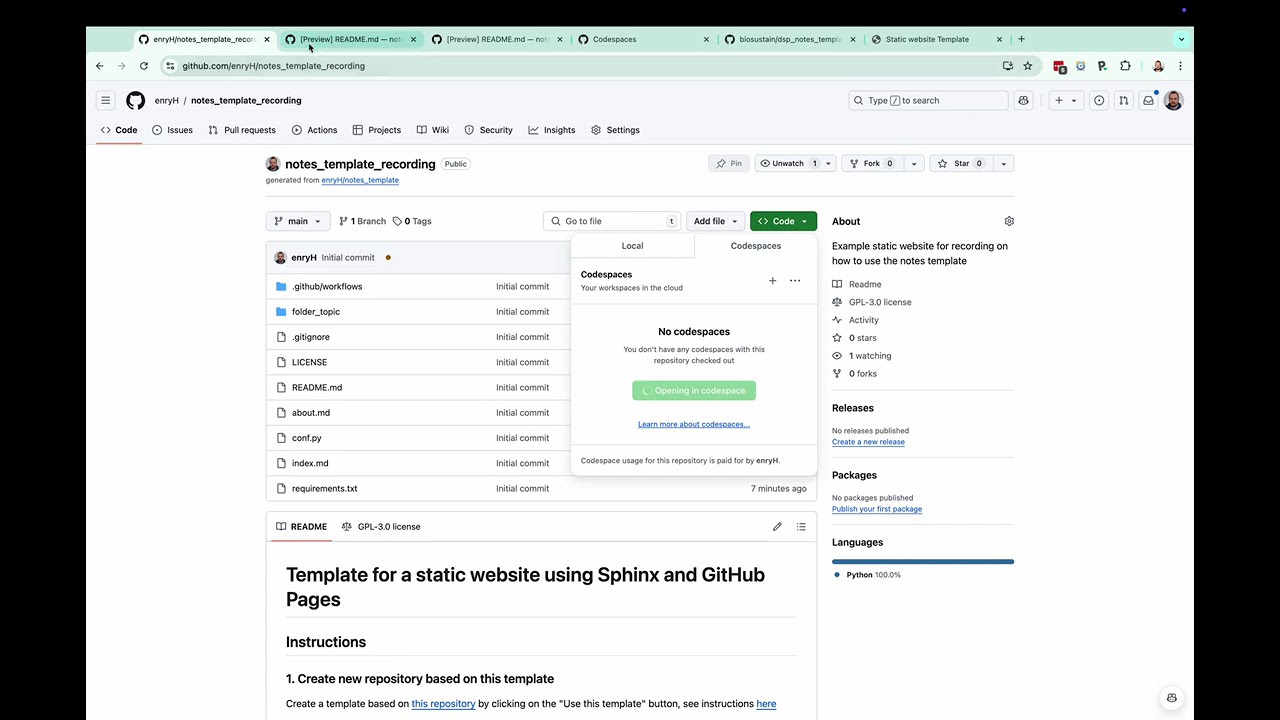
go to github.com/codespaces or use the “Code” button and select “Open with Codespaces”
create a new codespace using the newly created repository
If you are done, remember to delete the codespace to not see your free credit or money wasted. Also inactive (stopped) codespaces use storage for the last 30 days. See this youtube video on how to do it:
3. Edit files#
You will need to know the Markdown to format your text. See this overview on GitHub or this cheatsheet to get started.
update the
index.mdfile to include new filesuse pandoc to convert your previous files into markdown or reStructuredText
Troubleshooting:
don’t forget to add new files to the
index.mdfileeach document should have a title (
# title) using a main heading and otherwise nested headlines (subheadings followed by sub-subheadings)
4. Build the site locally#
Sphinx uses the configuration file conf.py to set up the site. The requirements.txt file
contain extensions and themes that are used additionally to sphinx to build the site.
The layout of the website is defined in the index.md file.
Have look at
.github/workflows/build_website.yamlto see how the site is built if you are interested.
Open a terminal (GitHub Codespaces)
install required packages from
requirements.txt:pip install -r requirements.txt
build the site (you could set an alias if you want):
sphinx-build -n -W --keep-going -b html ./ ./_build/
in case the command is not found, try:
python -m sphinx -n -W --keep-going -b html ./ ./_build/
open the site in a browser:
install “Live Preview” extension in Visual Studio Code
open the
_build/index.htmlfile in the browser (right-click, “Show Preview”)
5. Publish the site#
Follow these instructions to publish the website using GitHub Pages.
Select the
gh-pagesbranch as the source for the GitHub Pages site (currently step 7)add the deployed url to your “About” on the right sight of the repository
Changing the topic#
If you want to change the topic you can browse templates on the follwing site: sphinx-themes.org/
You will need to change at least these things to switch to the new template:
Install it and add it to the
requirements.txtfile (Sphinx templates come as a Python package)Update
conf.py:html_themevariable to the selected themeupdate the
html_theme_optionsto the available options of the theme
Try for example the the press theme.
Don’t forget to update the html_theme_options in conf.py to the available options of this theme.