 Data Catalog User Guide (v0.1.4-beta)
Data Catalog Access
This guide explains how to access the Data Catalog.
➤ All BRIGHT employees have immediate access to Data Catalog. You just need to log in using your DTU credentials.
If you experience issues accessing the platform, please contact Pasquale Domenico Colaianni at pasdom@dtu.dk or Research Data Management team at rdm@bright.dtu.dk.
Note
When working remotely (i.e. you are not connected to the DTU network), connect to the DTU VPN first. Once you have logged in for the first time, you may stay logged in as long as you are signed into your DTU account. In most cases, clicking Log in will grant access automatically.
Log in
Step 1: Open your browser
Open your preferred browser (e.g., Edge, Chrome, Firefox) on your computer.
Step 2: Visit Data Catalog
Go to Data Catalog.
Step 3: Click “Log in”
To log in, click the Log in button located in the top-right corner of the page.
Then, sign in using your DTU email and password.
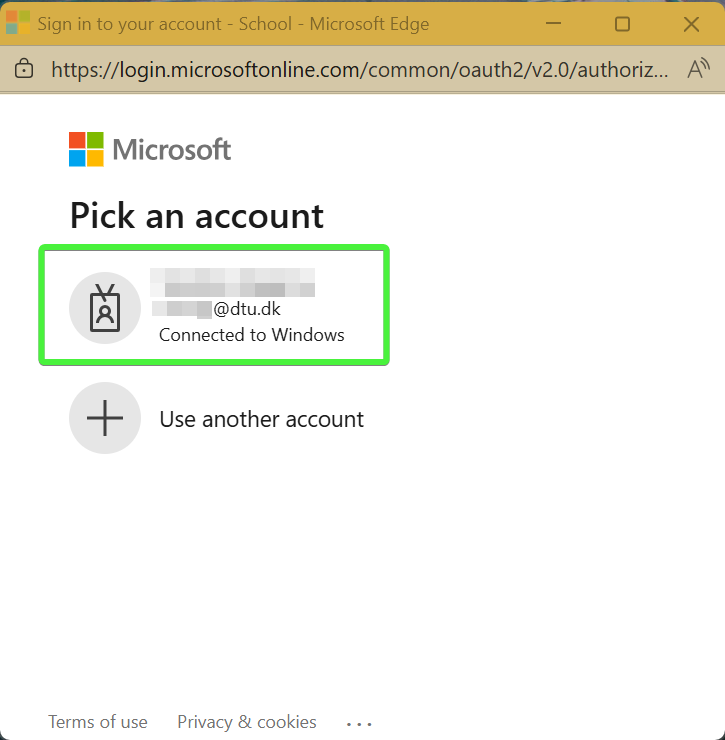
Choose Microsoft Account
➤ Once logged in, you will land on the Data Catalog welcome page, where you can begin exploring its features.