 Data Catalog User Guide (v0.0.0)
Search & Favorites
Data Catalog makes it easy to find projects and datasets quickly using keywords, filters and favorites. This guide explains the available search options and how to use favorites.
➤ Basic Search
At the top of the page, you will find the Search bar. Simply type any relevant keyword such as the project or dataset name, and Data Catalog will display matching results.
→ The search is designed to handle typos and partial matches. Even if you enter an incorrect or incomplete term, Data Catalog will still try to return the most relevant results based on what you intended to search for.
Note
Results are ranked by relevance by default, so the most likely matches appear first.
You can change the sorting order using the Order by dropdown located on the top right corner of that section. For example, sort by name (ascending or descending) or by last modified.
*This feature is still under development and might not work as expected yet!
➤ Advanced Search
For more precise results, you can use the Advanced search. It helps you narrow down your results by applying filters, making it easier to find what you are looking for.
Available filters include:
Archive Status: Choose from Active, Archived or All
Entity Type: Select whether you want Projects & Datasets, Projects only or Datasets only
Entity Name: If you know the exact name you can type it here
Owner: Filter by the owner of the project or dataset
Metadata: Use metadata tags for more precise filtering
Tip
To make your search more precise, try combining multiple filters at once.
Search
Favorites
The Favorite feature allows you to mark frequently used projects and datasets for quick access. Favorite items appear under the Favorites section at the top of the Projects and Datasets list pages respectively.
Adding and removing favorites
Navigate to the Projects or Datasets list page
Click the
 icon next to its name to mark it as a favorite
To remove a favorite, click the star icon again
The screenshots below show how to mark a dataset as favorite. The same applies to projects.
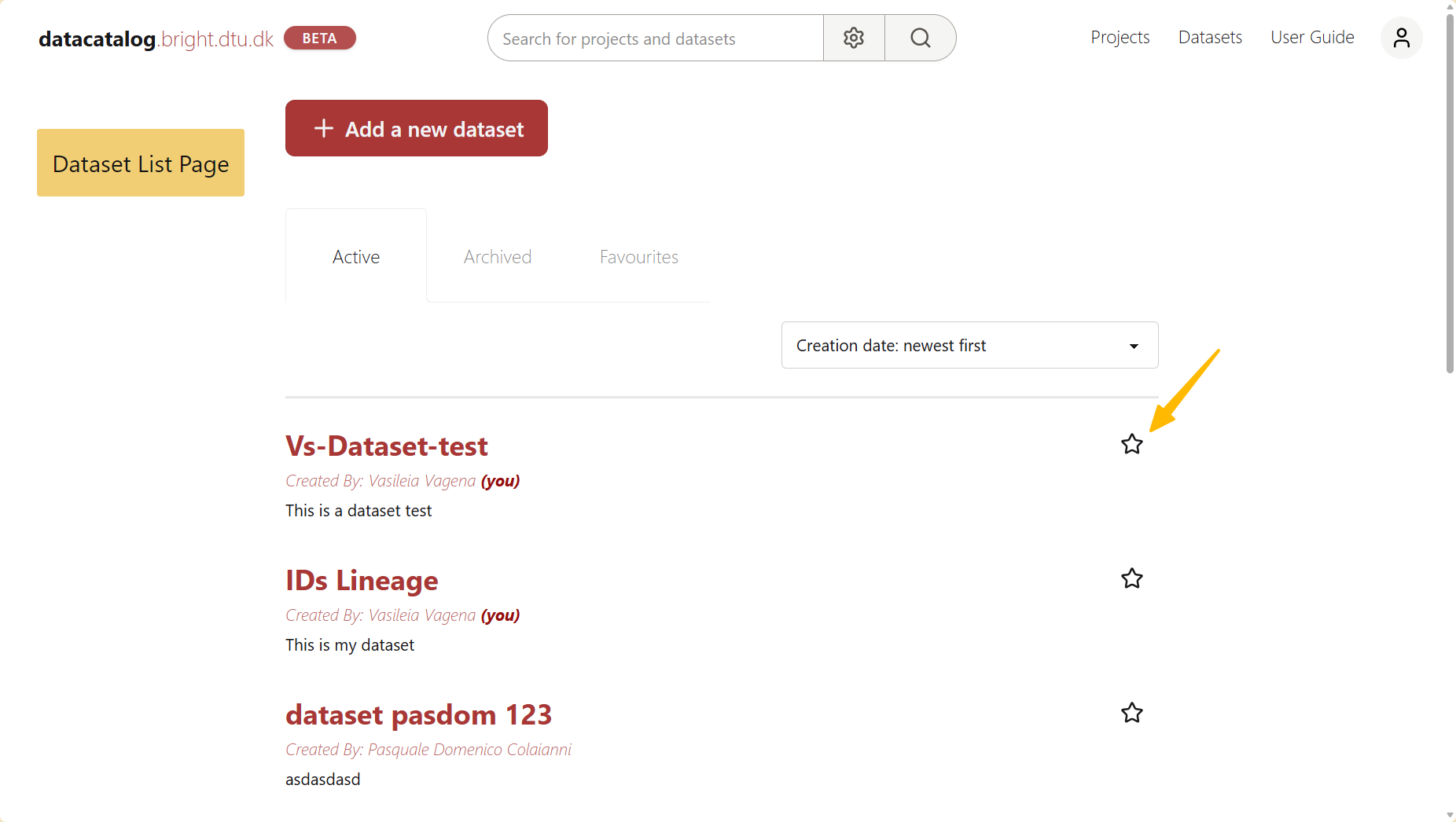
The star icon on the dataset list page
API Availability
The search can also be performed programmatically. For more details, see the following endpoint in the API Reference: